
For travellers with food allergies
Eat out abroad with your allergies in mind.
Photograph a menu in another language. EatSpeak marks each dish Likely fine, Ask staff first or Avoid, and gives you the question to show staff.
Coming soonApp Store
Guidance only. AI reads the menu and can be wrong. Confirm with staff before you eat, and carry your medication.
How it works
Three steps at the table
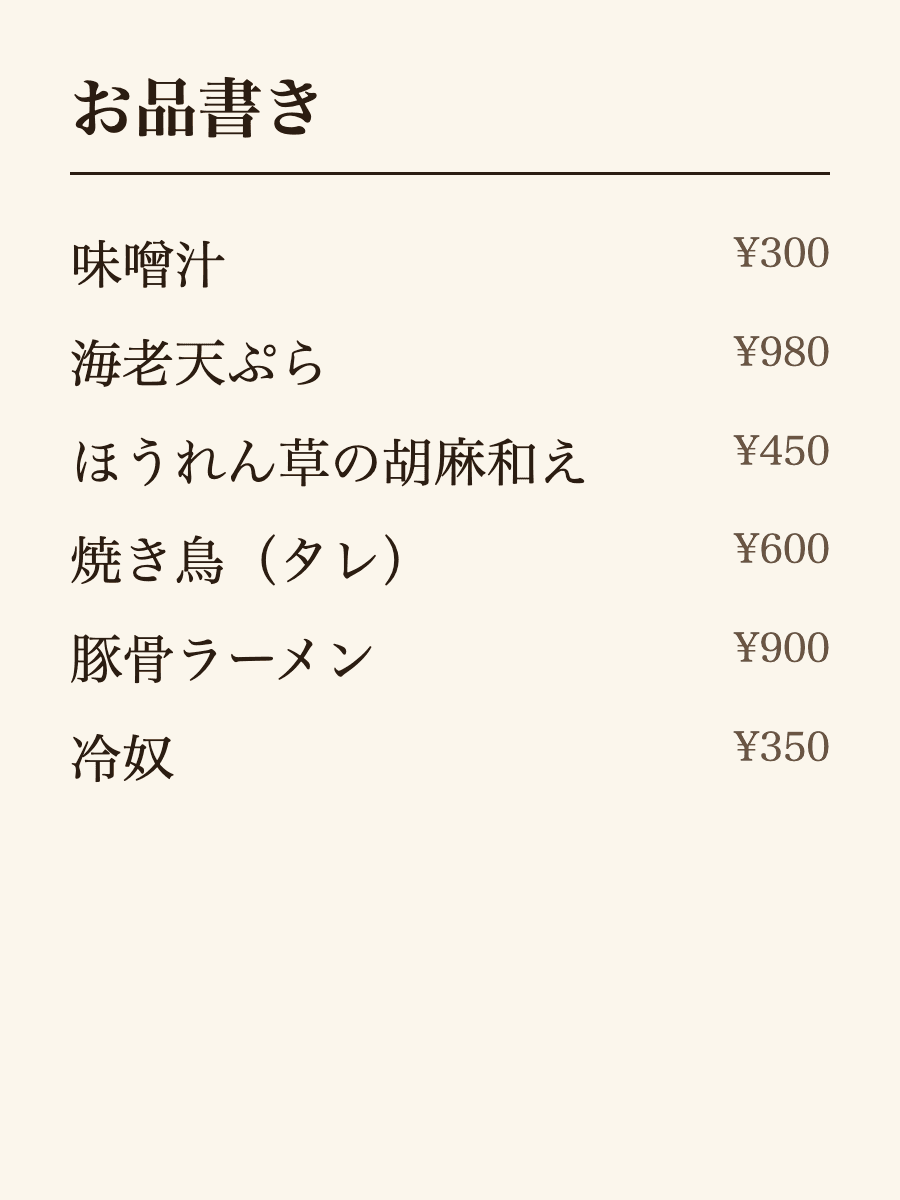
Photograph the menu
Take a photo, or pick one from your photos. EatSpeak reads the menu in its own language and translates each dish.
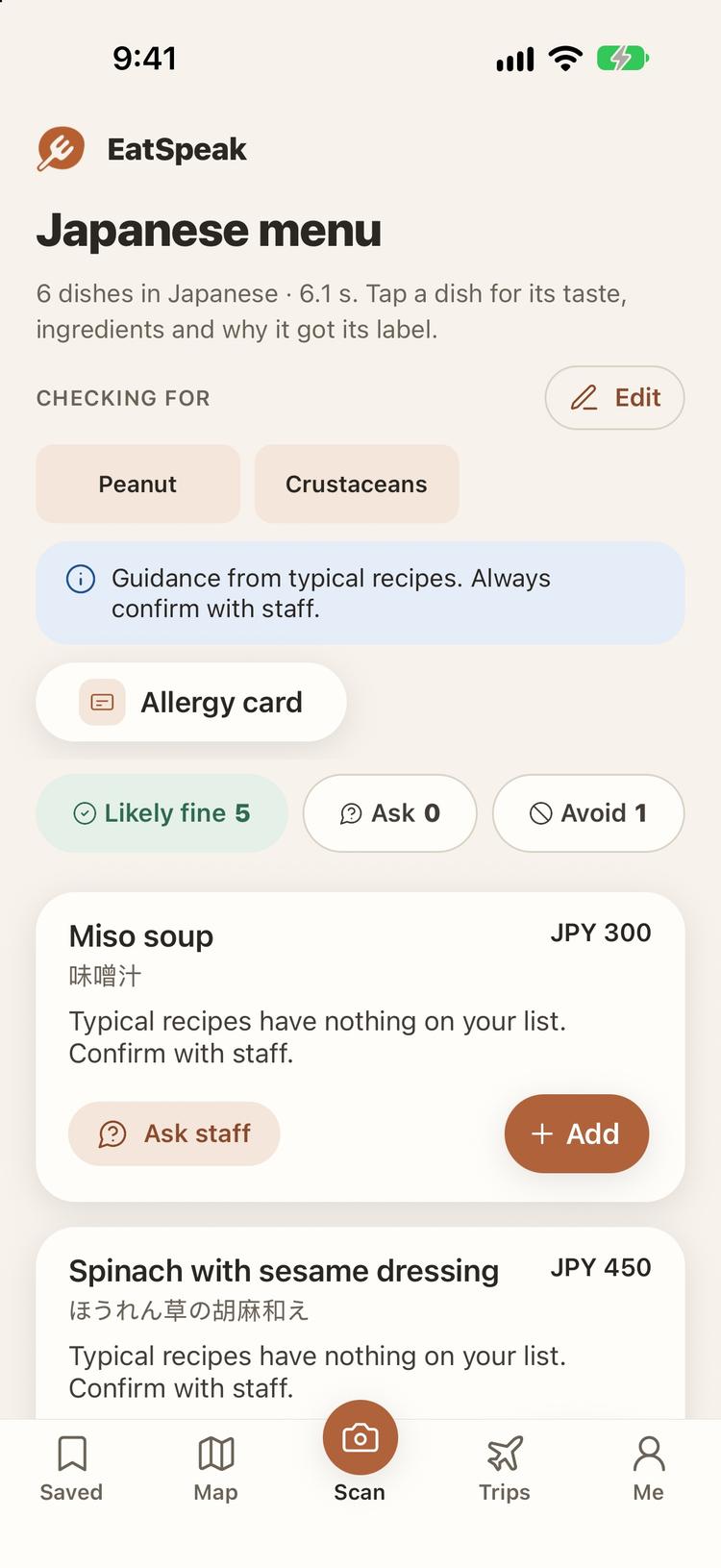
See a label on every dish
Each dish is marked Likely fine, Ask staff first or Avoid, with the reason: what typical recipes contain and what is on your list.
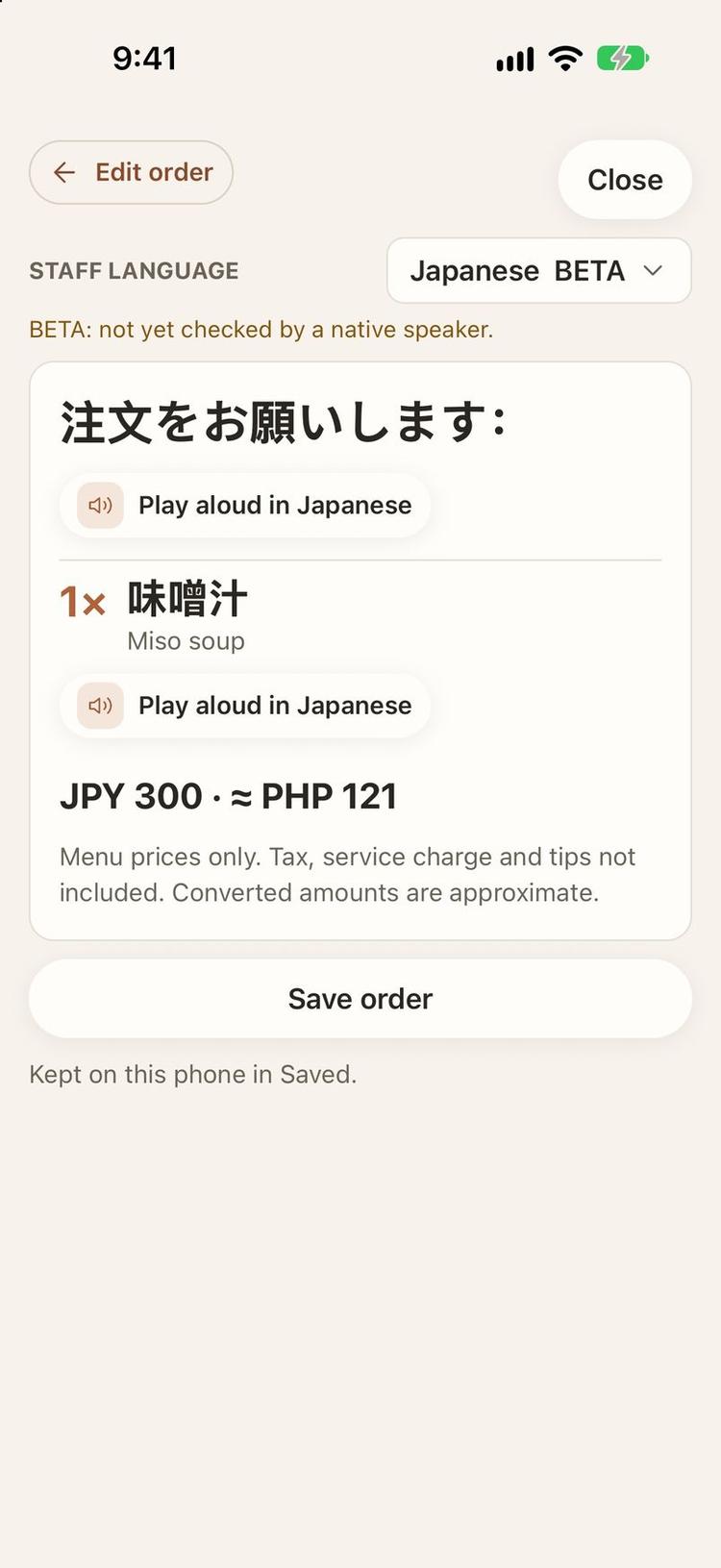
Show staff the question
Open a large question card in the staff's language, or play it aloud. Their answer is saved on the dish.
Features
What it does
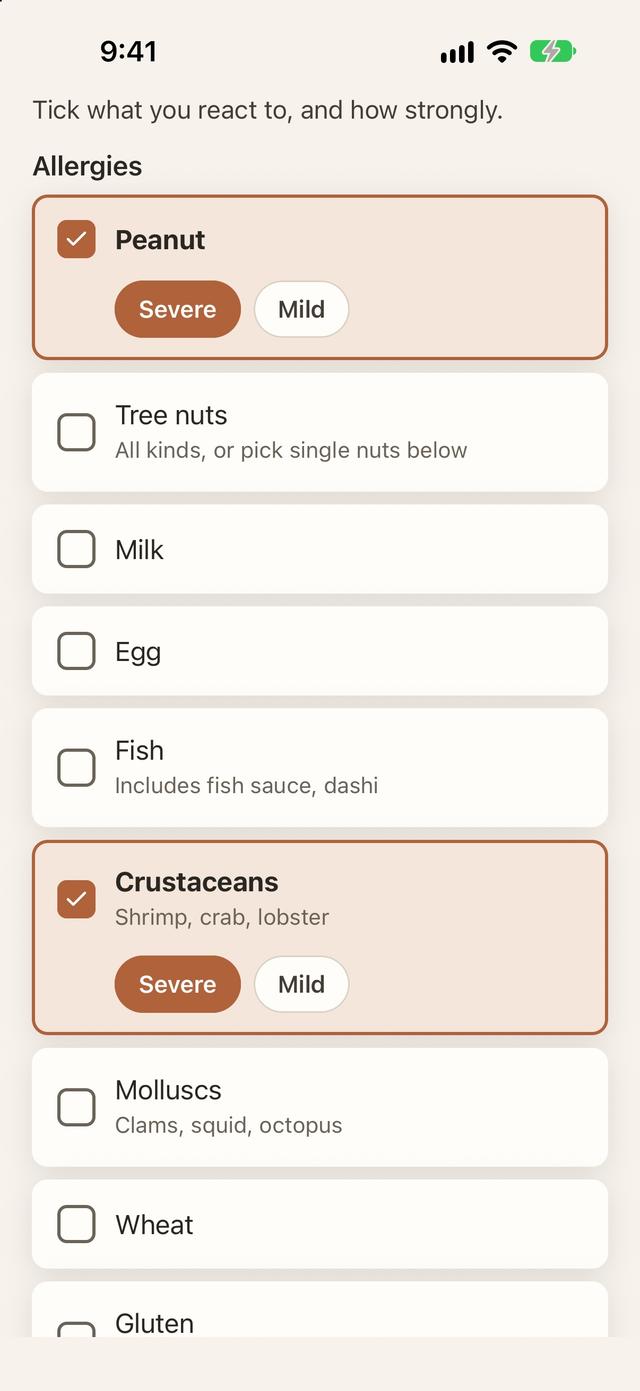
Set your food needs once
Tick what you react to and how strongly. Every menu you scan is checked against this list.
- 16 allergens plus 8 single tree nuts, each marked Severe or Mild
- Intolerances: lactose and gluten sensitivity
- Diets: vegetarian, vegan, pescatarian, halal, kosher and Jain
- Foods you don't eat, such as pork, beef or alcohol, each Strict or Flexible
- Anything else you dislike, typed in your own words
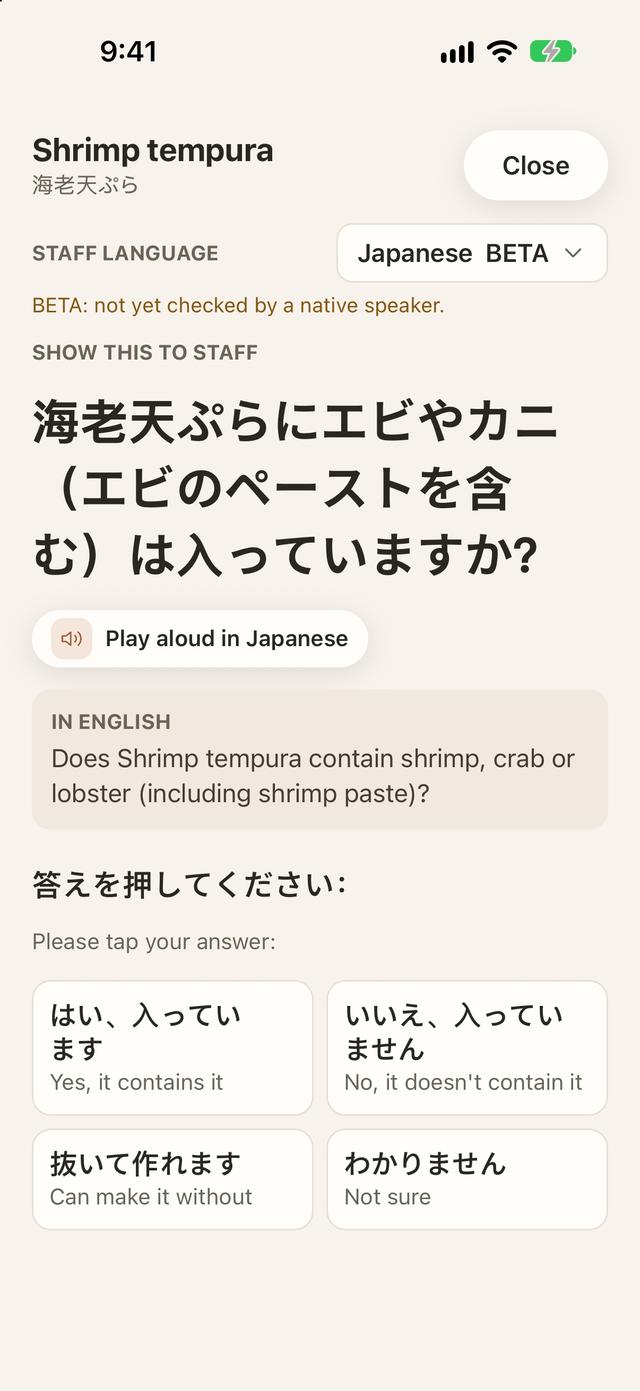
Questions for staff, read aloud
Show a large question card in the staff's language, or play it out loud. Staff tap an answer, and it is saved on the dish.
- The question in the staff's language, with English below
- 34 languages; Automatic uses the menu's own language
- Answer buttons for staff, and their answer is kept with the dish
- Play the question aloud when the phone has a voice for the language
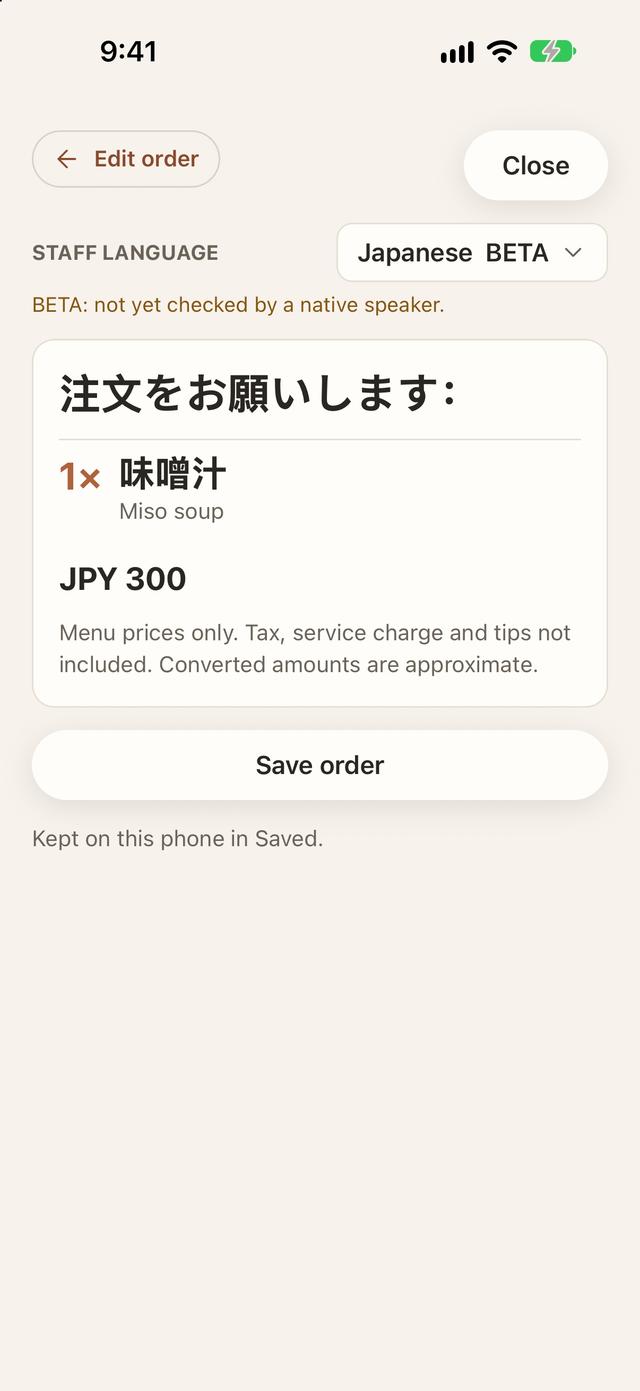
Order card
Add dishes as you go, then show staff one clear card with your order and your questions.
- An order card for staff in their language, with the total
- Saved orders on your phone, with the restaurant name and staff answers
- An estimate of tax, service charge and tip, and the bill split between people
- Order together: share the translated menu and your order with up to 5 friends by link, open for 2 hours, no app needed
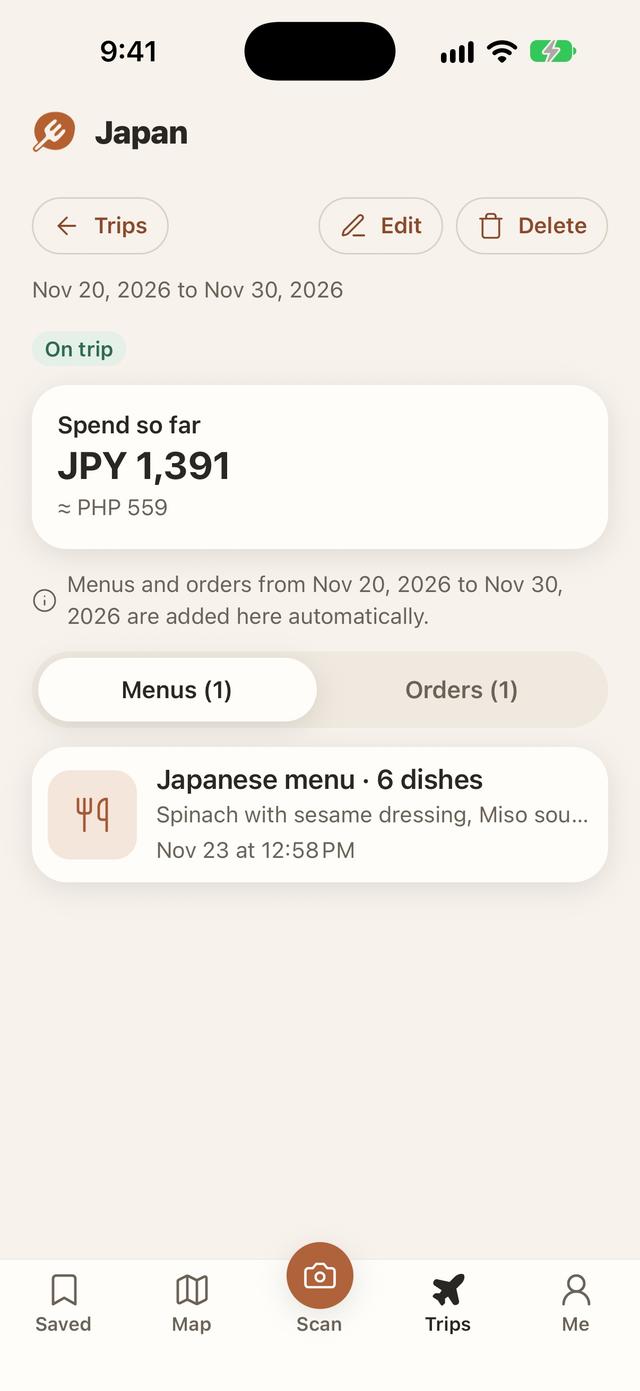
Saved menus and trips
Keep the menus you scanned and plan trips, so a menu is ready when you sit down again.
- Saved menus reopen without scanning again
- Plan a trip by country, cities and dates
- Each trip collects the menus and orders dated inside it, with spend so far
Map
Coming soon
Find places near you on a map.
- Restaurants near you, with menus other travellers scanned
- Filters for cuisine, budget and distance
- Each menu checked against your own list
Map
Offline packs
Coming soon
Download a destination before you fly, for menus without signal.
- One download per country, before you travel
- That country's dishes and staff questions kept on your phone
- Menus read where there is no signal
Offline packs
- JapanDownload
- ThailandDownload
Before you eat
Ask, don't guess
Menus rarely list every ingredient, and recipes differ between kitchens. EatSpeak tells you which dishes to ask about and gives you the words.
- Guidance from typical recipes. Each label comes from what a dish usually contains, not from the kitchen in front of you.
- Always confirm with staff before you eat, especially if your allergy is severe.
- Not medical advice. Carry your own medicine as your doctor advises.
- AI can be wrong. Read the Terms of Use for what EatSpeak does and does not do.
FAQ
Questions
Which allergies and diets can I set?
Allergies: peanut, tree nuts (almond, cashew, walnut, pecan, pistachio, hazelnut, macadamia, Brazil nut), milk, egg, fish, crustaceans (shellfish), molluscs, wheat, gluten, soy, sesame, mushroom, celery, mustard, lupin and sulphites.Intolerances: lactose and gluten sensitivity.Diets: vegetarian, vegan, pescatarian, halal, kosher and Jain.Things you avoid: meat and poultry, pork, beef, alcohol, honey and root vegetables.You can also type in anything else you dislike. For an allergy, pick it from the list.
How is my allergy list used?
Each time you scan, the app sends the menu to our service to read it and check it against your allergy and diet settings. Those settings are used only to check menus, never for advertising. Details are in the Privacy Policy.
Who can use it?
Anyone 18 or older. If you're checking food for a child, use the app yourself and confirm with staff on their behalf.
How do I delete my data?
In the app, open Me, then Delete my data. It removes your profile, saved scans and trips from your phone, and your anonymous ID from our server.
Can EatSpeak tell me a dish has none of my allergens?
No. AI reads the menu and compares each dish with typical recipes and your list. It can misread a photo or miss an ingredient, and kitchens differ. No warning does not mean no allergen, so always confirm with staff.
What if it's wrong?
It can be. Each label is guidance from what a dish typically contains, not from the kitchen in front of you, and EatSpeak's accuracy has not been independently tested yet. Always confirm with staff before you eat, and carry your medication.
How many free scans do I get, and what does it cost?
3 free scans to start, then 1 more each week (up to 3). After that you can buy a pass or a subscription in the app; the App Store shows the price before you buy. The web demo charges nothing.
Does it work offline?
No. Scanning a menu needs an internet connection. Offline packs, for menus without signal, are coming soon.
When is the iPhone app out?
It is coming to the App Store. Leave your email at the end of this page and we'll email you once when it is out; we use that email only for this, then delete it. Until then you can try the web demo, or write to support@eatspeak.app.
Read your next menu with EatSpeak
The iPhone app is coming to the App Store. The web demo works today.
Coming soonApp Store